 VOID
Raw video in. Reels out.
Void Video Editor is a free skill that turns Claude Code or OpenCode into your editor. It cuts the silences and retakes, reframes to 9:16 around your face, adds Hinglish word-pop captions, and cuts one long video into ready-to-post Reels with thumbnails. It runs on your own computer, with no paid APIs.
One prompt. Whole edit.
Point it at a talking-head recording. It asks a few questions, shows you the mistakes it found, and hands back a finished video plus Reels. You approve the cuts and see stills before anything renders.
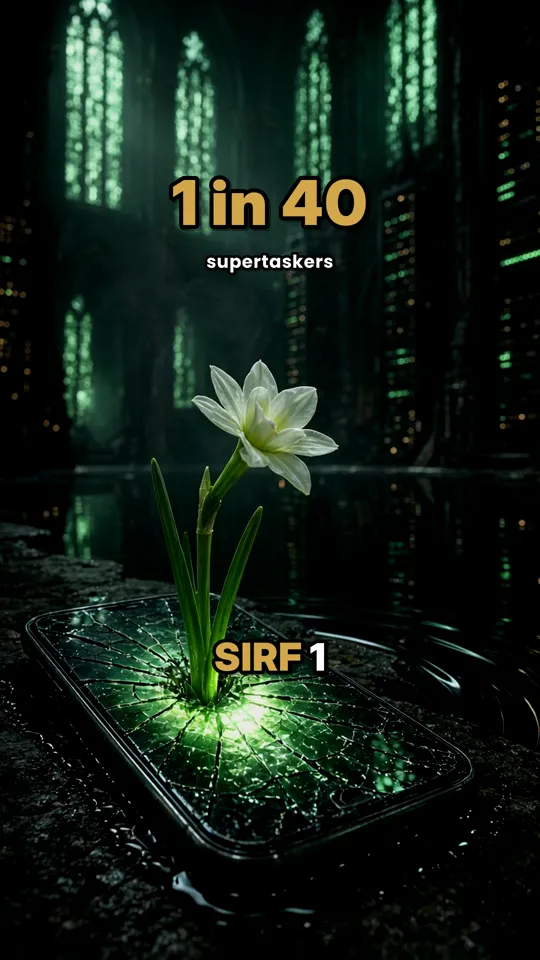
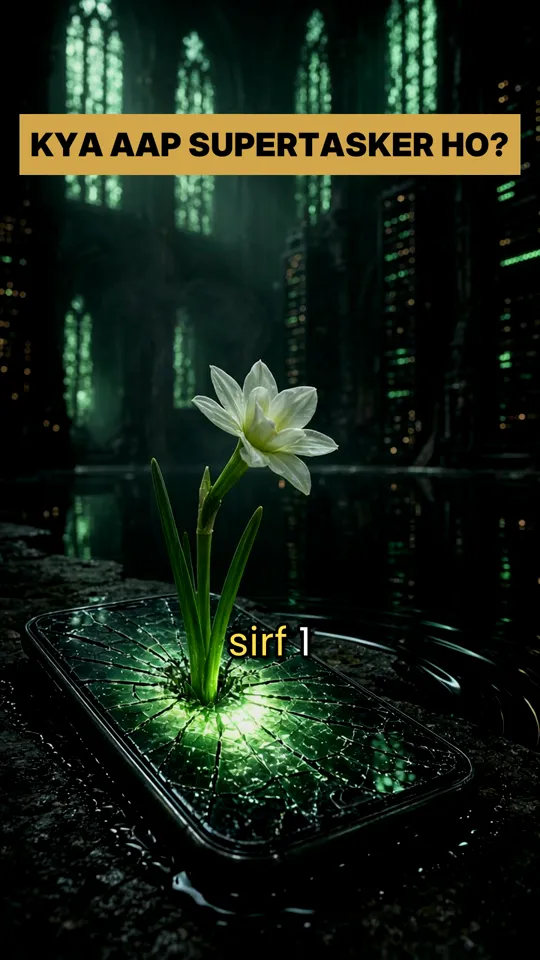
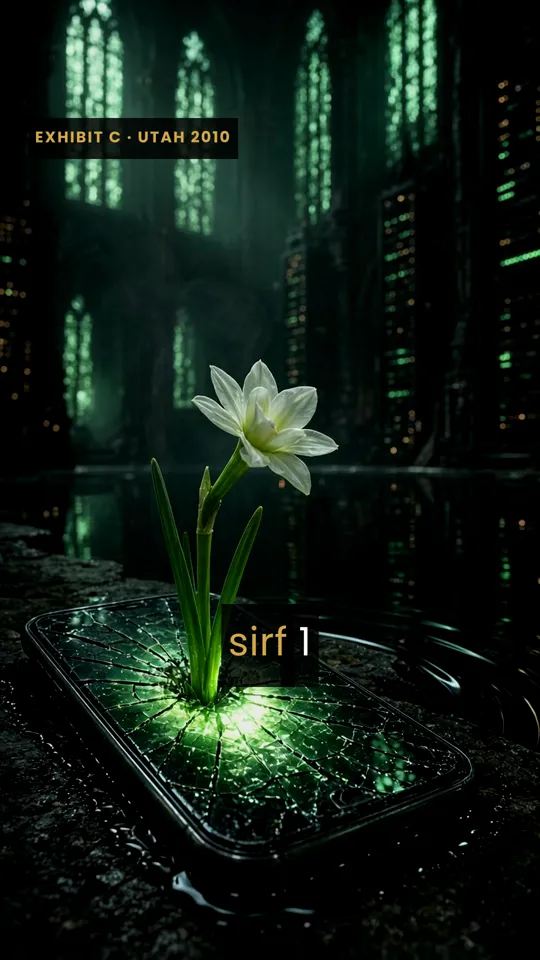
Pick your look.
These are real frames from the skill, drawn over a Void film still. Each look supports big number pops, source labels and hook banners, placed clear of the Reels buttons and caption area.
Set it up.
You need three things: ffmpeg, Python 3.9+, and an AI coding agent (Claude Code or OpenCode). The rest installs itself the first time.
- Install ffmpeg. In PowerShell, run the command below, then open a new terminal.
winget install Gyan.FFmpeg
- Install Python 3.9+ from python.org. Tick "Add Python to PATH" when you install.
- Unzip the skill so this file exists:
C:\Users\<you>\.claude\skills\void-video-editor\SKILL.md
- Start Claude Code and say:
Edit my video C:\path\to\video.mp4 and make 3 Reels
- Install ffmpeg:
brew install ffmpeg
- Check Python with
python3 --version. If it's older than 3.9, runbrew install python. - Unzip the skill:
mkdir -p ~/.claude/skills
unzip ~/Downloads/void-video-editor.zip -d ~/.claude/skills/
- Start Claude Code and say:
Edit my video ~/Movies/raw.mp4 and make 3 Reels
- Install ffmpeg:
sudo apt install ffmpeg
- Check Python with
python3 --version(3.9 or newer). - Unzip the skill:
mkdir -p ~/.claude/skills
unzip ~/Downloads/void-video-editor.zip -d ~/.claude/skills/
- Start Claude Code and say:
Edit my video ~/videos/raw.mp4 and make 3 Reels
OpenCode users: the same ~/.claude/skills folder works.
Check your setup
The agent runs this for you the first time. Use python on Windows:
python3 ~/.claude/skills/void-video-editor/scripts/setup.py --check   # only report
python3 ~/.claude/skills/void-video-editor/scripts/setup.py           # install what's missing
It installs just two packages: faster-whisper for transcription and opencv-python-headless for face framing. Captions and graphics are drawn by ffmpeg itself, so there's no browser engine to download.
First-run download: Whisper downloads a model once, about 1.6 GB for Hindi and Hinglish or 0.5 GB for English. Without an NVIDIA GPU, a Hindi transcript takes about as long as the video.
It asks once.
Point it at your video and it asks everything in one go. Reply "defaults" to accept everything in [brackets].
| # | Question | Options [default] |
|---|---|---|
| 1 | Output | Reel 9:16 / YouTube 16:9 / both [9:16 under 3 min, both otherwise] |
| 2 | Silences | tight 0.15 s / natural 0.3 s [tight for Reels] |
| 3 | Mistakes | cut retakes and false starts, and show me the list first [yes] |
| 4 | Captions | Hinglish (Roman) / Devanagari / English / none · style: void, clean or boxed [Hinglish, void] |
| 5 | Graphics | none / light: number pops and source labels [light] |
| 6 | Reels cut-downs | no / yes, how many [3 if the video is over 2 min] |
| 7 | Check-ins | show stills before the final render [yes] |
Copy-paste prompt for a Hinglish creator:
Edit my video "path\to\raw.mp4". Output both 9:16 and 16:9. Tight silences, cut my retakes and show me the list first. Hinglish captions, void style. Light graphics for numbers and studies. Make 3 Reels with thumbnails. Show me stills before rendering.
Step by step.
It makes a project folder called <video name>_edit next to your video. Every file it creates goes in there.
Whisper writes your words with timings. Hindi words also get a Hinglish spelling ("samajhna", "matlab", "nahi"), and the AI fixes English words Whisper wrote in Devanagari.
Finds retakes (it keeps your last take), false starts, redo cues and start/end junk. "Matlab", "toh" and "yaar" stay, because that's how people talk. You approve the list.
Frame-accurate, click-free cuts at the pace you picked. You get a summary of how many seconds were removed.
Finds your face, picks a steady or following 9:16 crop, and checks it on a still.
Number pops ("48 vs 48"), source labels ("Exhibit A · 2019") and key terms, only where they help.
Adds captions, graphics and punch-in zooms that hide jump cuts, sets loudness to −14 LUFS for YouTube and Instagram, and exports H.264 MP4.
Picks 20–60 s clips that open on a hook and end on the payoff, then renders each as 1080×1920 with a hook banner and a thumbnail. You also get caption and hashtag ideas.
Commands.
The agent runs these for you. They're here so you can ask for an option by name. SKILL is the skill folder and WORK is the _edit folder.
| Step | Command | Useful options |
|---|---|---|
| Transcribe | python SKILL/scripts/transcribe.py "VIDEO" | --lang hi|en|auto · --model medium · --device cpu|cuda |
| Hinglish | python SKILL/scripts/hinglish.py "मुझे समझना है" | prints mujhe samajhna hai · --work WORK fills every word |
| Cut | python SKILL/scripts/cut.py WORK | --dry-run · --pause 0.15 · --no-silence |
| Frame | python SKILL/scripts/frame.py WORK | --x 0.6 · --mode static|follow|center |
| Stills | python SKILL/scripts/render.py WORK --still 12.5 | repeat --still for more |
| Render | python SKILL/scripts/render.py WORK | --aspect 9:16|16:9|both · --style void|clean|boxed · --script roman|devanagari · --no-punch · --preset slow |
| Reels | python SKILL/scripts/clips.py WORK | --only 2 · --thumbs-only |
Creator tips.
Before you hit record.
Is it really free?
Yes, under the MIT licence. Whisper and ffmpeg are free and run locally. The only cost is usage on your AI plan, since the agent reads your transcript. Long videos use more.
Does my video get uploaded anywhere?
No. Transcribing, cutting and rendering all happen on your computer. Only the text transcript goes to your AI agent, so it can decide the cuts.
How good are the Hinglish captions?
Most Hindi words come out the way people type them ("nahi", "samajhna", "bachpan"). English words that Whisper writes in Devanagari get fixed by the AI before rendering. You can correct any word and render again in seconds.
Can it edit videos I shot vertically?
Yes. Vertical videos stay vertical. For a 16:9 version, it puts the vertical video over a blurred fill.
I have several clips. Can it join them?
It edits one continuous recording at a time. Ask the agent to join your clips with ffmpeg first, then edit the joined file.
It says ffmpeg is missing, but I installed it.
Open a new terminal. On Windows, winget only updates PATH for new windows. Run ffmpeg -version to check.
Want us to edit for you instead?
We make cinematic AI ad films and edit videos for brands. Send us a brief and we'll reply with a plan and a quote.